StarSift

Not released yet

Find the frames worth stacking.

StarSift is a modern desktop app for astrophotographers of every level, built to make the whole process enjoyable rather than a boring, repeatable task. It measures the stars in every light frame of a session and sets aside the trailed, soft and clouded ones, so only the good frames go into your stack. From there it stacks them on the GPU and takes the picture through a workflow to a finished image.
Watch the whole process (3 min 25 s) Processed images

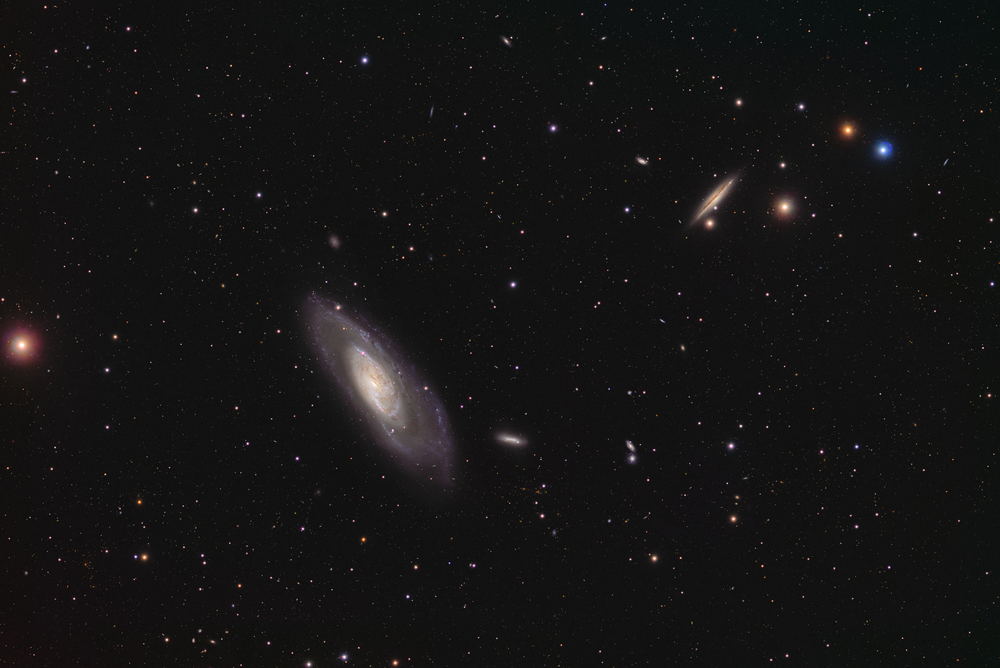
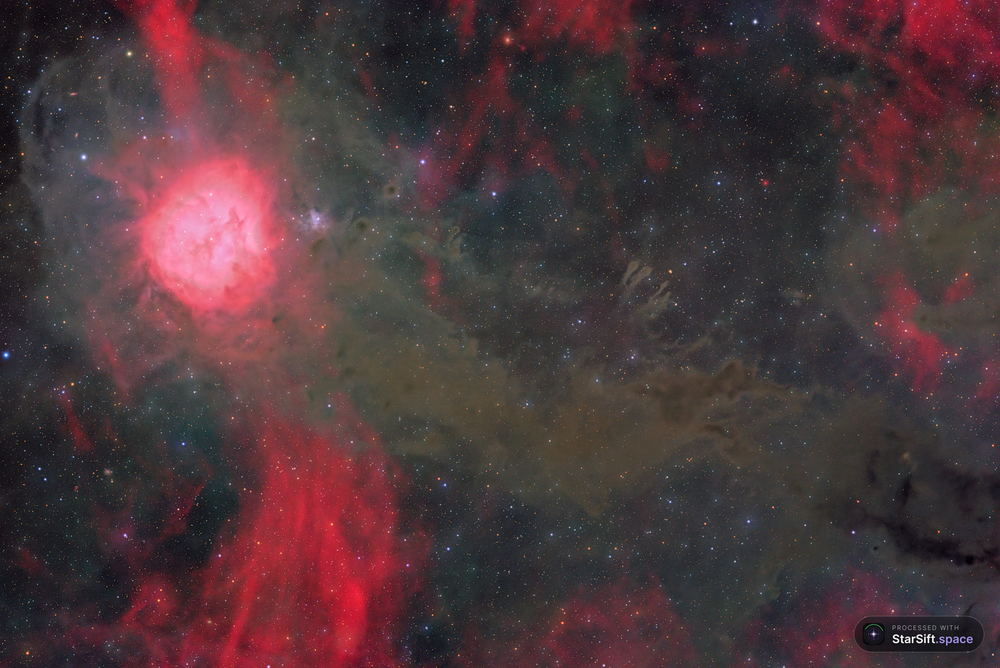
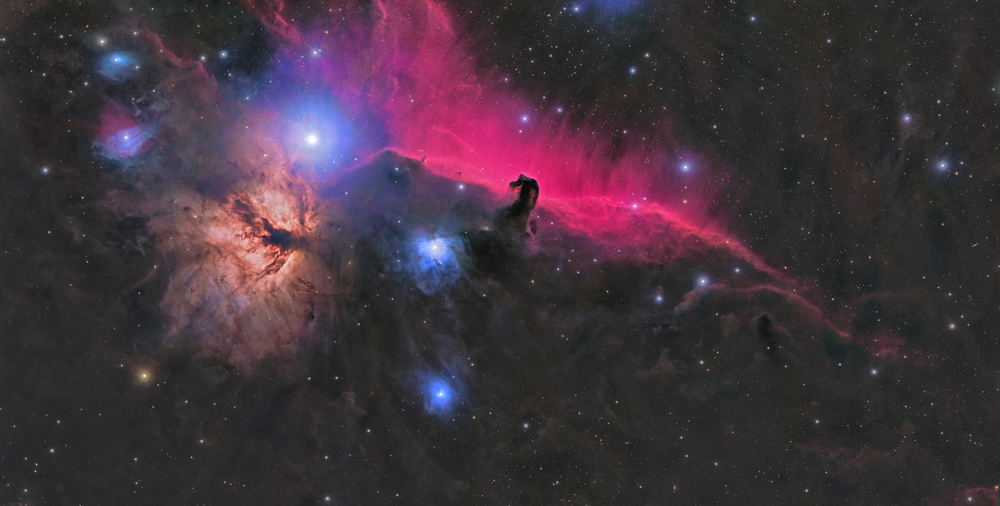
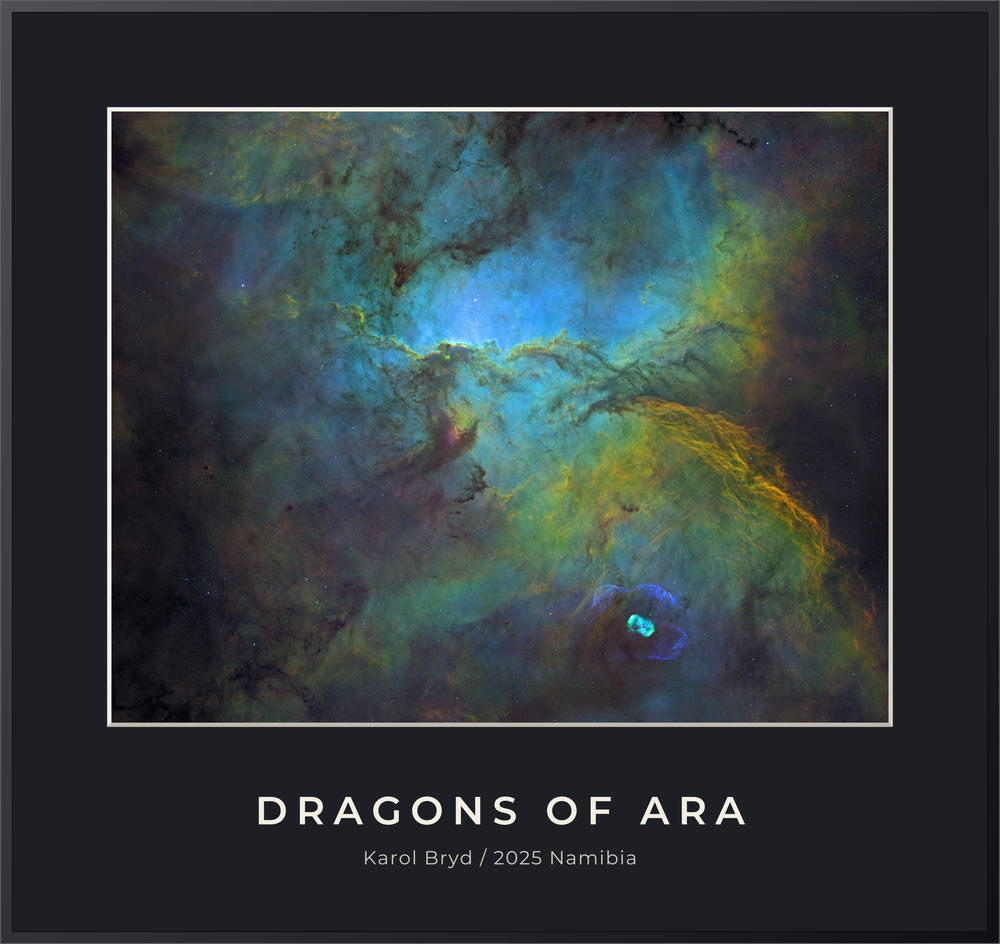
Processed images Nights, finished. See what comes out the other end. Open the gallery

See why every frame was kept or set aside.

Preview your images and judge them in a friendly, visual way. Results appear while a scan is still running, and each verdict comes with the measurements behind it, so you can check the call yourself.
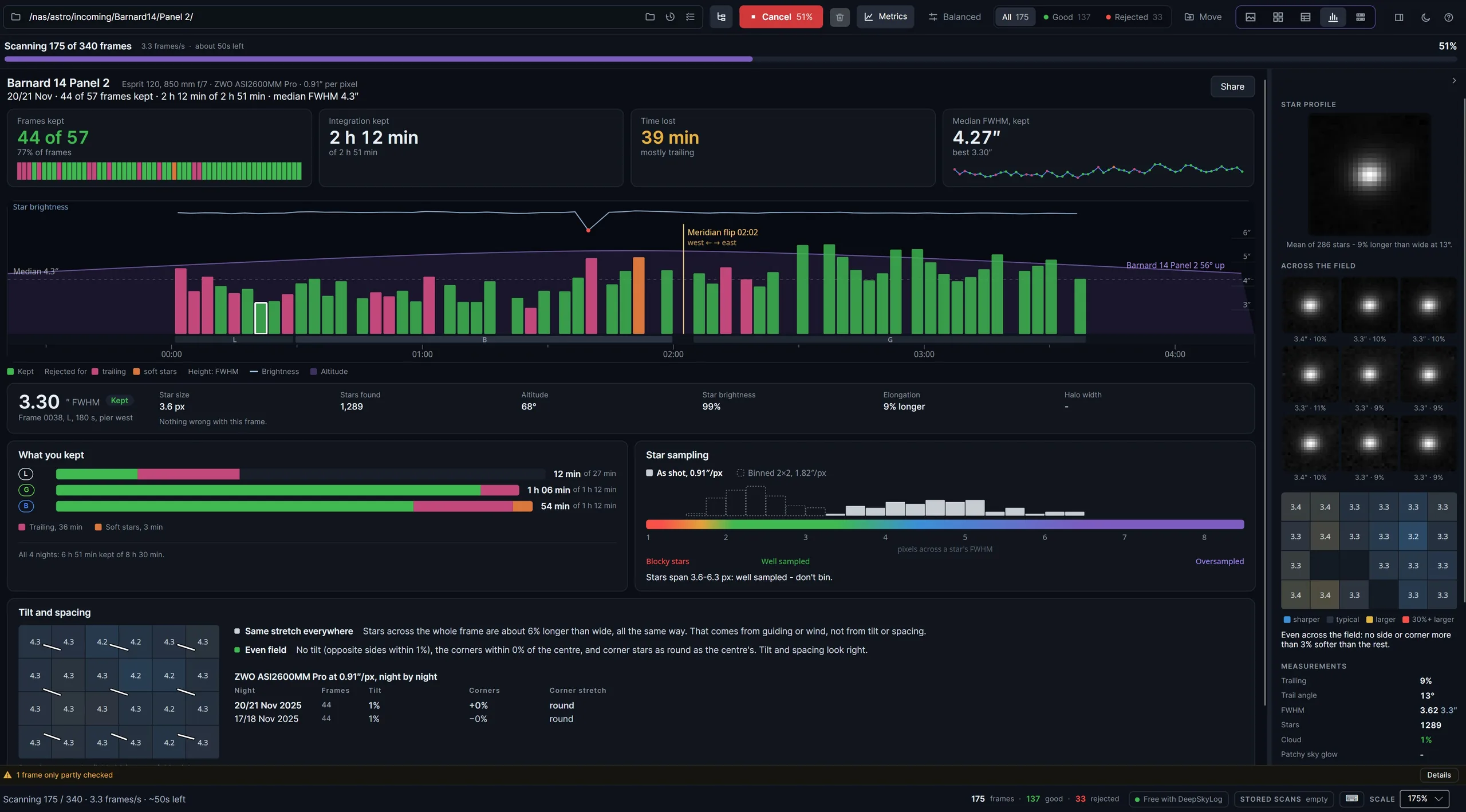
The StarSift night report during a scan of 340 frames. Cards show 44 of 57 frames kept, 2 h 12 min of integration and 39 min lost, mostly to trailing. A timeline of bars, green for kept and pink or orange for rejected, shows each frame's star size across the night with the meridian flip marked. Below are time kept per filter, star sampling and tilt across the field.
The night report. Frames kept, integration time and time lost, with every frame on a timeline: the meridian flip, the stretches of trailing, and what each filter ended up with.
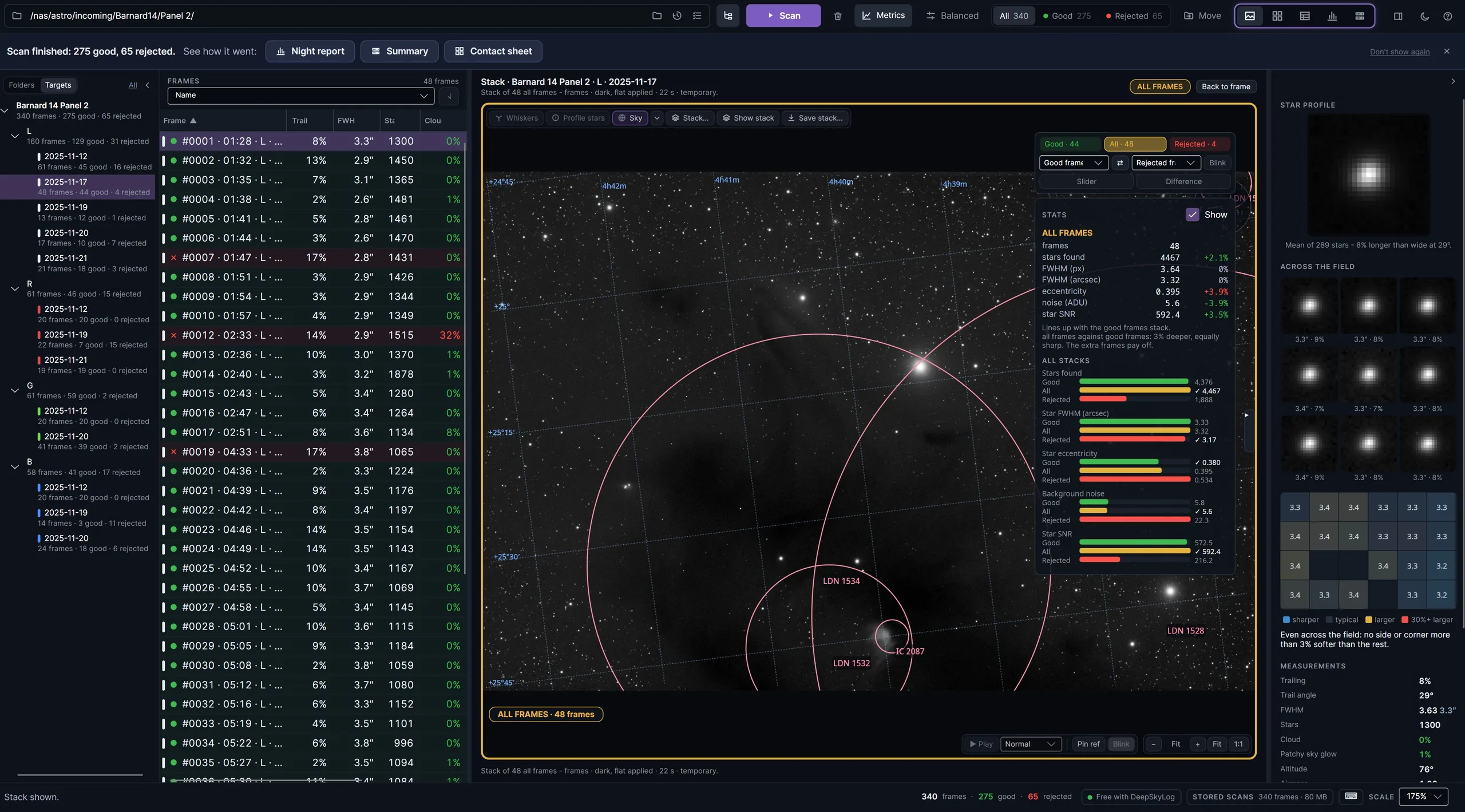
StarSift after a finished scan: 275 good frames and 65 rejected. A target and night tree and a sortable frame table sit on the left. The centre shows a stack of 48 frames over a plate-solved sky with nebula outlines labelled, and a panel comparing stars found, FWHM, eccentricity, noise and signal-to-noise for the good, all and rejected frames.
Check the rejects. Stack the good frames and the rejected ones over a plate-solved sky and compare stars found, star size, roundness, noise and signal-to-noise, so you can see what the rejects would have cost or added.

From a stack to a finished picture.

A workflow takes a target from its stacks to the last stretch, one step at a time: gradient removal, sharpening, star removal, noise reduction and a separate stretch for the stars. Pause any step to set it against a live preview of what it would make.
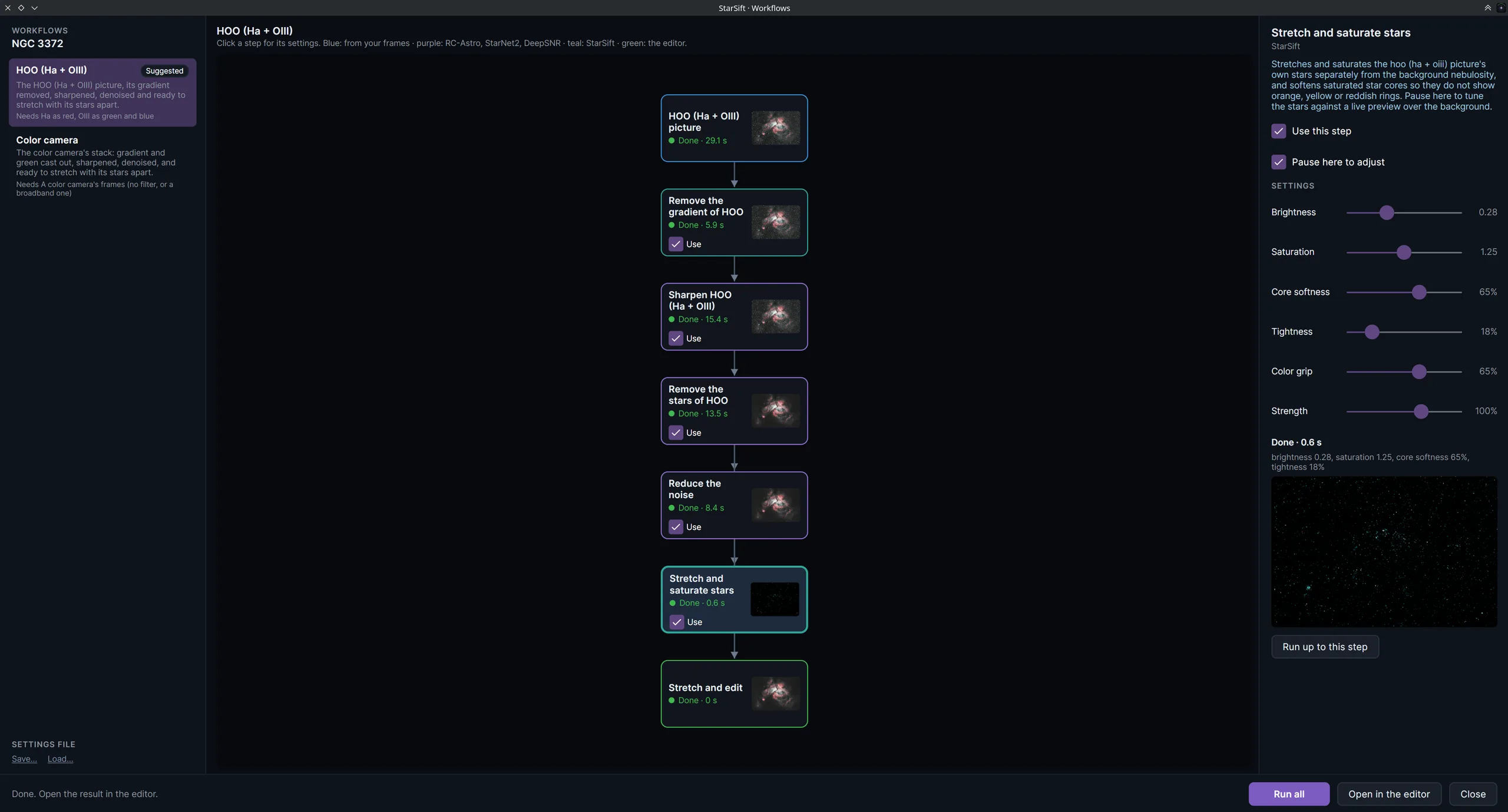
The Workflows window for NGC 3372 in HOO. A vertical chain of steps runs from the HOO picture through remove gradient, sharpen, remove stars and reduce noise to stretch and saturate stars and stretch and edit, with a thumbnail and run time on each. The right panel shows the settings for the stretch step: brightness, saturation, core softness, tightness, colour grip and strength, with a small live preview.
A workflow, step by step. Every step shows its result as the chain runs, from the stack to a stretched picture, and each one can be turned on, off or adjusted without starting over.
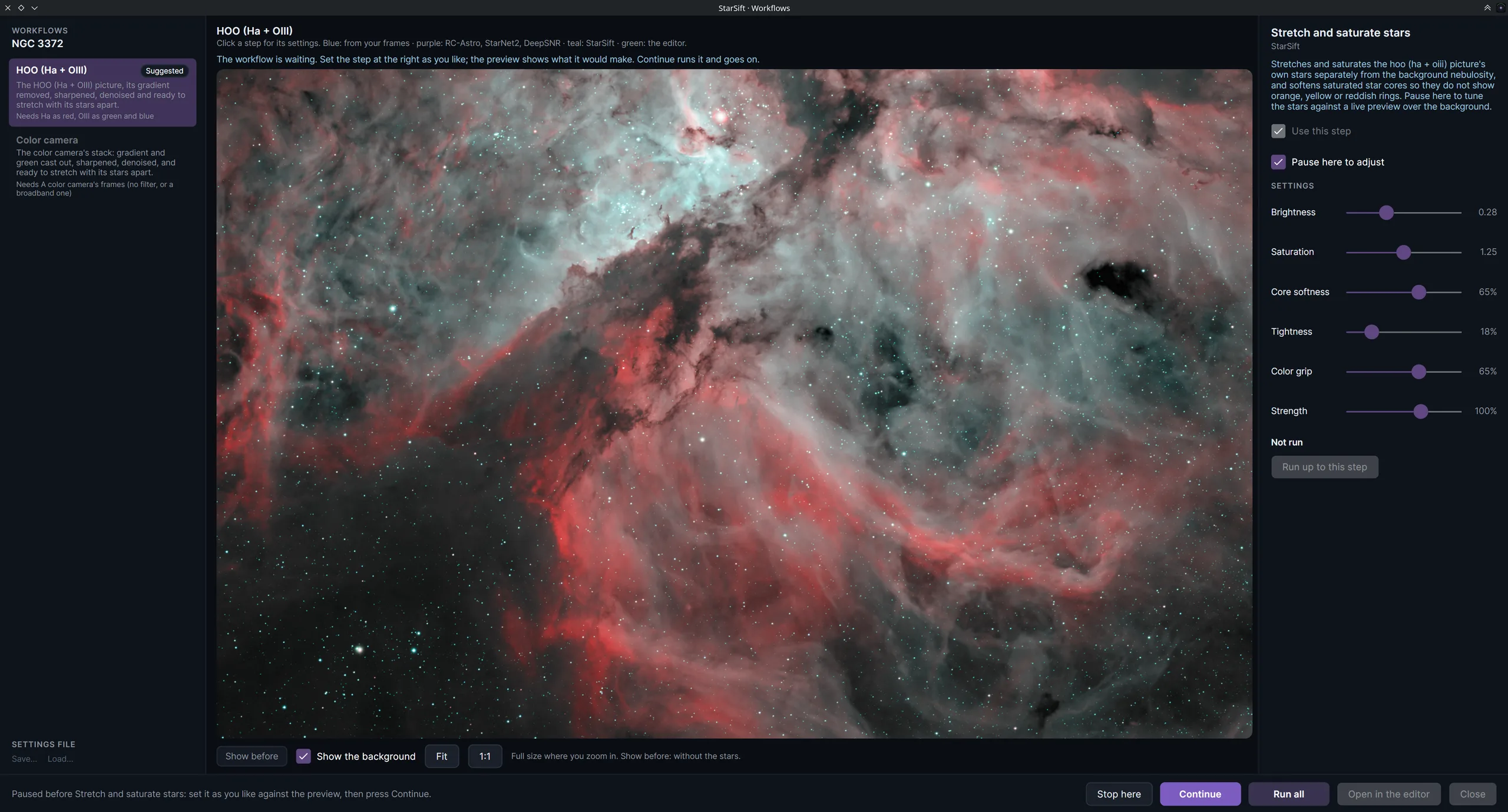
A workflow paused at Stretch and saturate stars. The large preview fills the window with the nebula and its stars, and a Show the background toggle sits below it. The settings panel on the right controls brightness, saturation, core softness, tightness, colour grip and strength, with Stop here, Continue and Run all along the bottom.
Pause any step and judge it live. Drag a setting and the preview follows, with or without the background, before the rest of the workflow runs on.
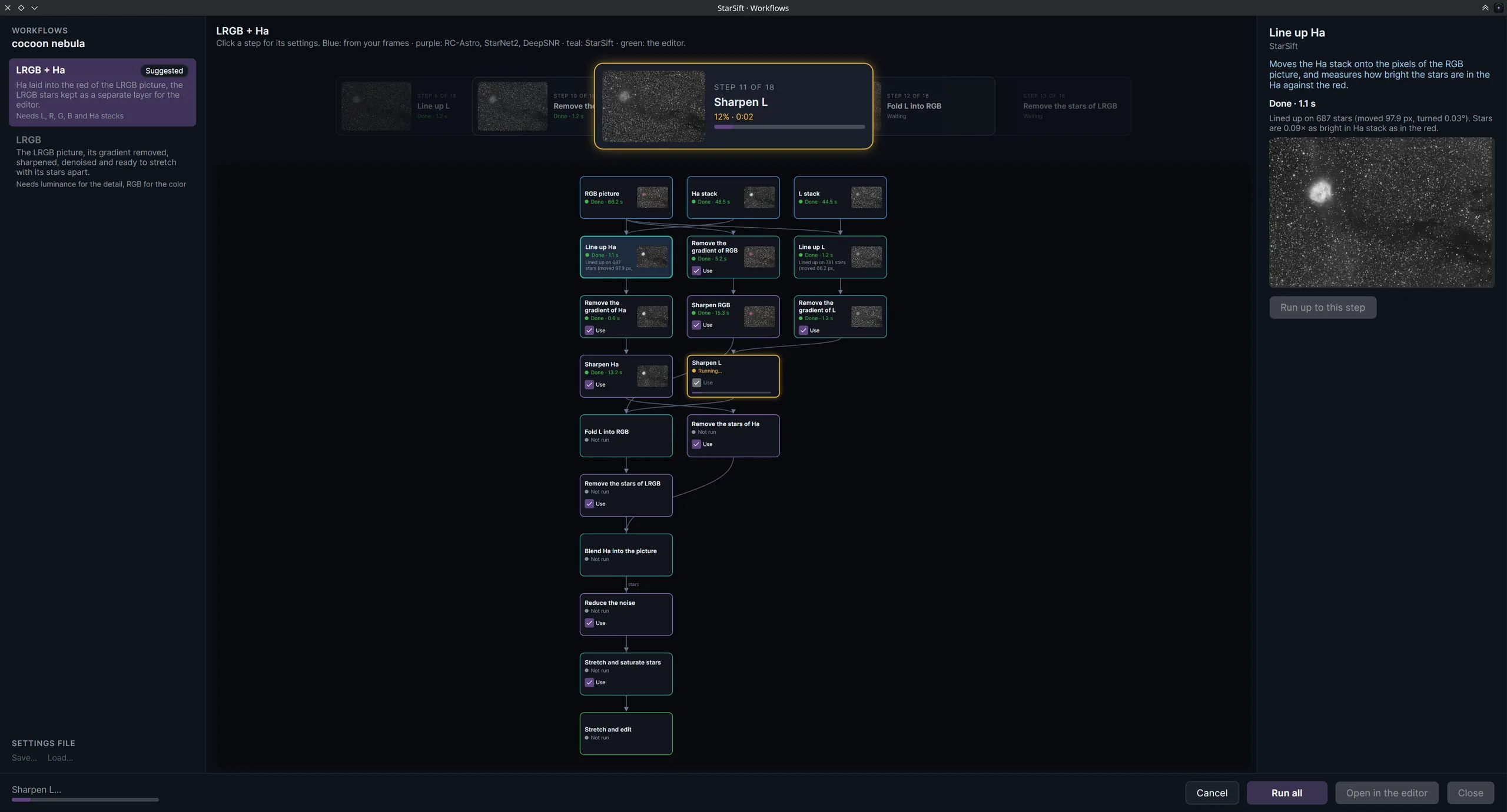
The Workflows window for the Cocoon Nebula in LRGB plus Ha. The chain starts with an RGB picture, an Ha stack and an L stack, lines the Ha up to the RGB, removes gradients, sharpens, folds the luminance into the RGB and blends the Ha in, then removes the stars, reduces noise and stretches the picture and the stars separately. The right panel shows the Line up Ha step and the measured shift between the Ha and red stars.
Colour and narrowband together. Line up an Ha stack with the RGB, blend it in, fold in the luminance, and keep the stars as their own layer to stretch.
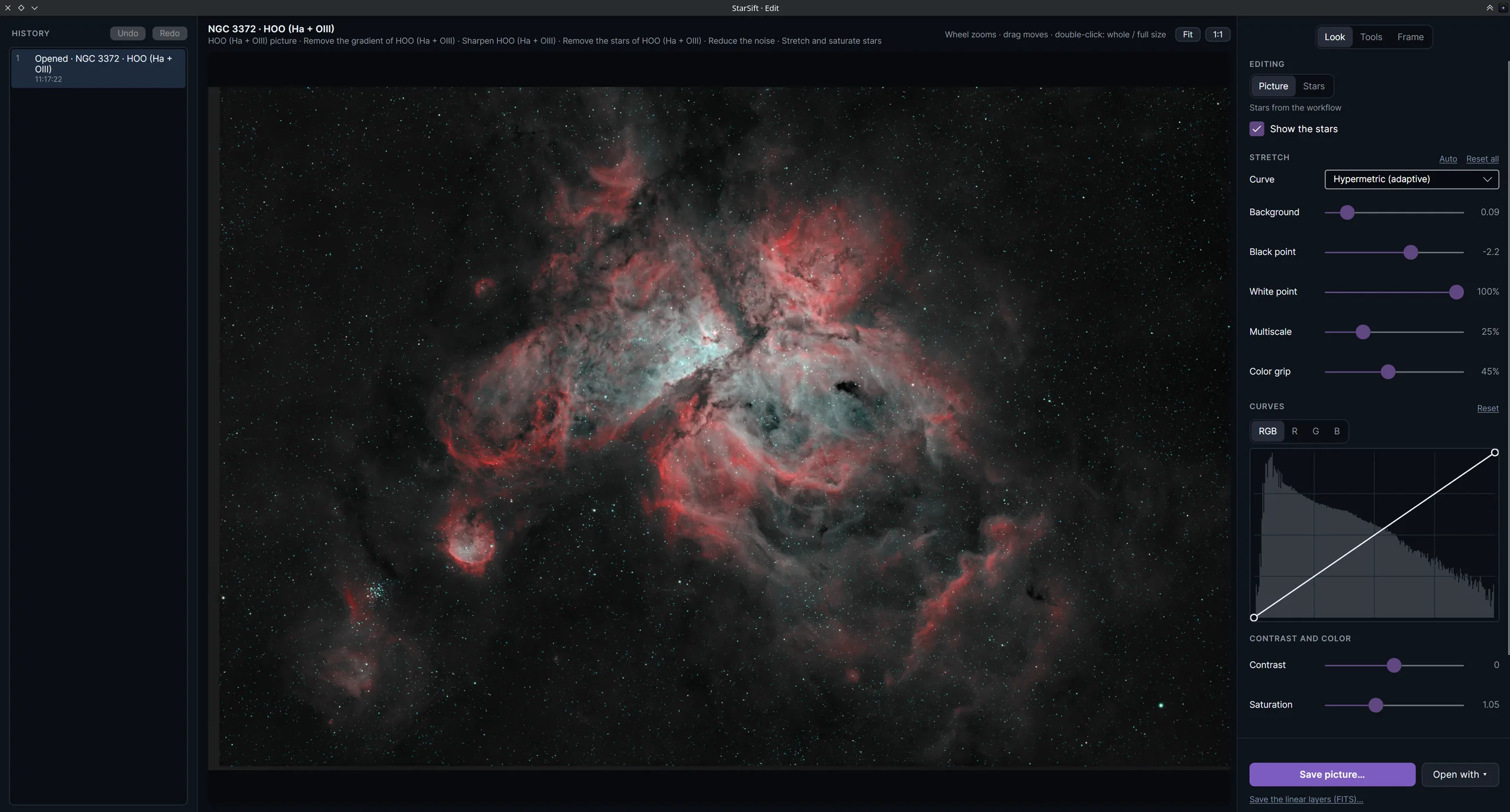
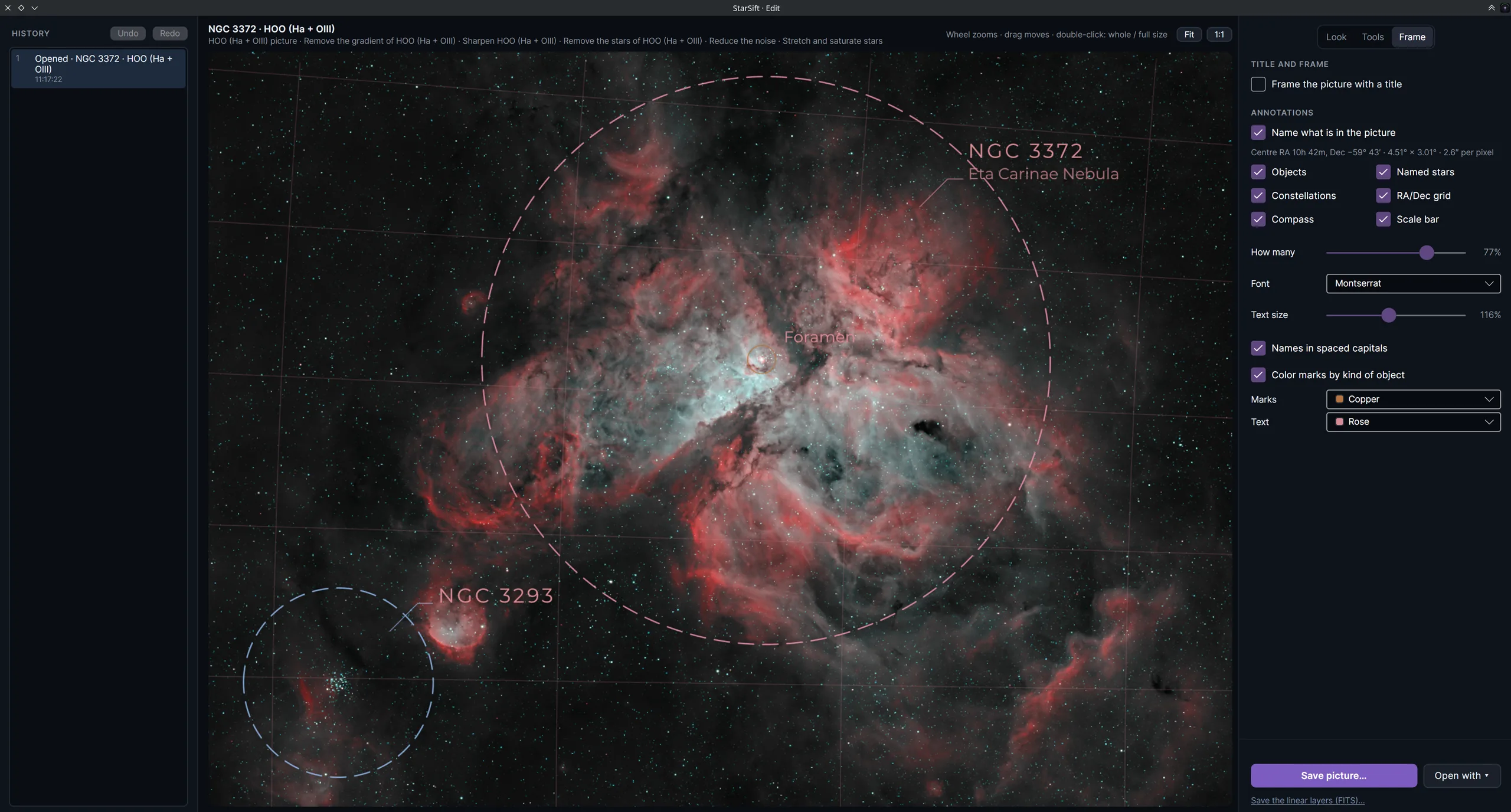
The editor with the finished HOO picture of NGC 3372. Look, Tools and Frame tabs sit at the top right. The Look panel shows Show the stars, a hyperbolic stretch curve with background, black and white points, multisacle and colour grip, a channel curve, contrast and saturation. The history on the left can undo and redo steps.
The editor, with the stars kept separate. Carry on from the workflow with curves, contrast and saturation, show or hide the star layer, and undo back through every step.
The Frame tab on the finished picture. The nebula is labelled NGC 3372 and Eta Carinae Nebula, with NGC 3293 and the Foramen marked, dashed outlines around the objects, an RA/Dec grid, a compass and a scale bar. The panel switches on objects, named stars, constellations, compass, RA/Dec grid and scale bar, with their colours set by kind of object.
Frame it and label the sky. Name what is in the picture, add object outlines, constellations, a compass, an RA/Dec grid and a scale bar, ready to save or share.

Screen, stack and process.

StarSift takes a night of frames all the way to a finished picture: it screens the frames, stacks the good ones on the GPU, and runs the stack through a workflow you can pause and adjust at any step.

  • Frame screening

    Scan a night of frames. Each one is scored, and the trailed, soft and clouded ones are set aside with the reason.

  • GPU stacker

    Calibrated, aligned stacks in moments, so you can see what the night gave you before you decide what to process.

  • Workflows

    RGB, LRGB, HOO and SHO pictures processed step by step, from stacks to a finished picture.

  • Ha blending

    Ha laid into the red of an RGB or LRGB picture, with the stars keeping their true colour.

  • RC-Astro tools

    BlurXTerminator, NoiseXTerminator and StarXTerminator in the editor and the workflows. Highly recommended for the best results. Learn more at rc-astro.com.

  • Editor and gradients

    Stretch, curves, colour and gradient removal on your stacks and colour pictures.

  • Plate solving and annotation

    Names what is in the picture: constellations, galaxies, nebulae, clusters and stars.

  • Mosaic stitching

    Several panels of a wide field stitched into one seamless mosaic, with every panel checked and aligned.

  • Private and local

    Everything runs on your own computer. Your frames are never uploaded.

Who it's for

Everyone who shoots the night sky, especially beginners and intermediate astrophotographers. Advanced imagers are welcome too: the workflow saves processing time you can spend shooting instead. You don't need expensive software like PixInsight to find the frames worth stacking, or to stack them.

What it does

It compares every frame with the others from the same night, target and filter, and sets aside the trailed, soft, clouded, bright-sky and low-altitude ones with the reason. The good frames are stacked with your darks, flats and bias, then processed step by step: gradient and noise removal, sharpening, star removal, stretch, curves and colour.

What it reads and writes

FITS and XISF from mono and colour astronomy cameras, RAW from Canon, Nikon and Pentax, plus DNG. It finds your dark, flat and bias masters. Pictures save as JPEG, PNG, 16-bit TIFF or JPEG XL; linear layers as FITS, or open in PixInsight or Siril.

Where it runs

Windows, Linux and macOS on Apple silicon. Everything runs on your own computer, and rejected frames are moved to a folder for you to check.